Digital Autonomy I: Editing Alchemy
(When I first thought of talking about the mechanisms of my creative flow, I felt hesitant to make a blog post in this style and with this focus not because I worry about pulling back the curtain, but because I worry I'm not educated enough to offer all the information necessary to help guide people to alternatives.
Then I remembered that I've been functionally using these things for over a year and if I can figure it out, no doubt anyone else can. Onward.)
Autonomy has become a large focus in my life and the lives of those around me. As the ever increasing surveillance of big tech and big fascists lobby to have more and more access to our personal information and privacy. It feels overwhelming and I often see people saying things like-
"They already have my data, so what does it matter?"
and
"It would be too hard to change now, I'm used to my workflow"
and it fills me with a mix of compete understanding and a touch of indignant irritation.
It feels like the same reasons I've seen friends still listen to bands with nazis or outed sex pests, the same reasons people continue to watch the new Harry Potter spin-offs and order from Temu or Amazon. The same conditioned lethargy towards exploitive behavior that mirrors that micro into the macro of police state violence and far off genocides.
The idea that it's inconvenient to not be exploited weighs heavy on the reasoning mind.
So, I think it's a good opportunity to tell a little story about how I started exploring open source software.
I was an Adobe boi. A Google man. A Netflixer and Crunchy Roller.
I liked my wonderful workflow ease between Lightroom and Photoshop, I liked the ease of my calendar being synced to my phone and my email and my cloud storage, and I thoroughly enjoyed exploring all of the trash horror movies and anime that streaming could offer.
Then, suddenly, AI became the newest, coolest, all consuming thing.
Suddenly, my computer struggled with the weekly requirement increases to support the generative fill options, my favorite shows began having horrible subs and worse, these companies engaging in underlying support for and complicity in genocidal entities was dug up and thrown onto the surface of my awareness.
Suddenly, everything I was comfortable with was marred with moral contradiction.
AI was built on stolen databases and art.
AI implementation caused massive job cuts.
AI was functionally making things worse to use.
AI data centers had massive environmental impacts.
AI was reducing human memory functionality and increasing risk of dementia.
AI was being used the assist and support genocide.
AI was being utilized to increase government surveillance and control.
The coolest, newest, all consuming thing was looking a lot like the coolest, newest all consuming tool for fascists.
Suddenly, I had some very clear decisions to make about my own complicity in the machine.
"There is no ethical consumption under capitalism" is a phrase I often see used to escape responsibility for individual impact. While I'm fully aware that the majority of negative impacts to global wellness exist at the scale of military and corporate power, I'm also aware that our compliance and support (or at least negligence to confronting issues) is essential to these systems maintaining power.
"There is no ethical consumption under capitalism" is a call to action.
An opportunity to explore, in specific context, what you can do for the world, and importantly for yourself.
While using a paper straw won't have an impact on environmental decline, re-enforcing a social norm that says "You will get my money if you make this a focus" isn't nothing.
While switching to a Linux system won't tank Microsoft's stock value, informing people that "you can still have a computer that functions great without having to choose Window's or Mac" isn't nothing.
While Adobe losing out on my $1400/year full suite subscription is pennies in their overall value, my fellow visual artists learning that "You don't need After Effects to do keyframing and rotoscoping" isn't nothing.
You may have to be complicit in using gas to get to work.
You may have to be complicit in funding exploitative grocers to eat.
You may have to be complicit in your housing property investing in Blackrock to have a roof over your head...
But art?
Nah.
You don't need to feed your art into the machine.
Not in the same way.
You can do something.
Something that's not nothing.
and that not nothing may just be the start of something powerful.
This Digital Autonomy series will be focused on all the not nothing you can do in your technical, digital space to resist and revolt against the oppressive forces that condition us to accept the user terms and conditions of environmental violence, political violence, and spiritual violence that they desperately need us to buy into are negotiable if not flat our deniable.
The ghouls want your soul, and they will take it through your screen and your art.
So, lets talk about 3 open source programs that I switched to over the last year that I think you should explore.

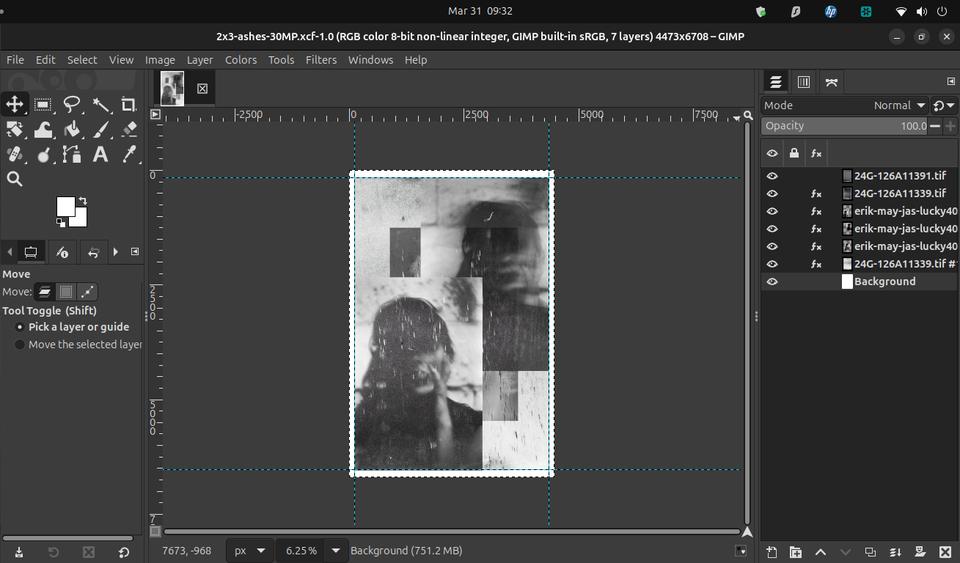
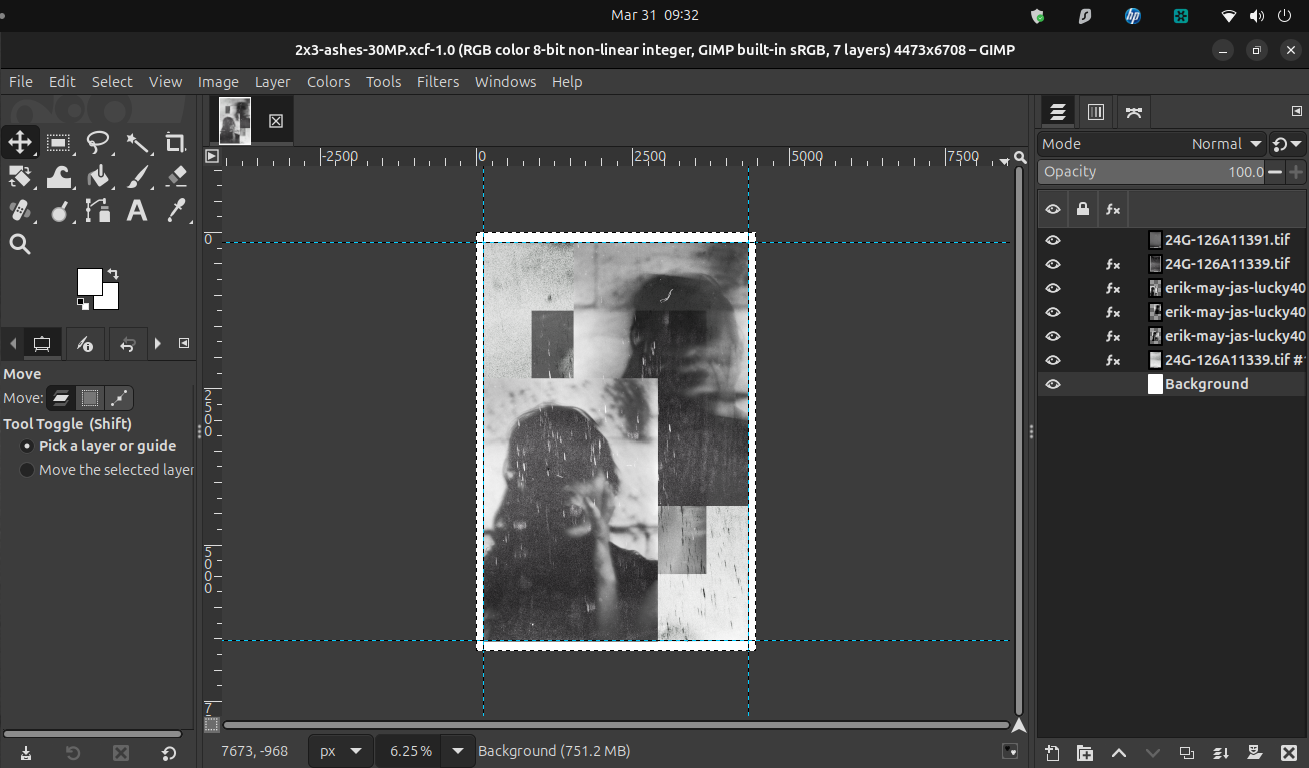
Editing Alchemy - GIMP ($0 - free open source photo editing software)
[Photoshop alternative]
https://www.gimp.org/downloads/
"GIMP is an acronym for GNU Image Manipulation Program. It is a freely distributed program for such tasks as photo retouching, image composition and image authoring."
Originally released in 1996, GIMP is an incredibly powerful, well maintained and updated, low-requirement photo editing program. I've been using it for over a year on both my main workstation and Raspberry 500 kit single board PC. It is full of features very similar to Photoshop and I found that it has a fairly easy learning curve. I've been completely happy with it. While it does occasionally lag and stutter on my Raspberry 500 when I'm asking it to deal with large files, I've never had an issue with in on my main PC.
It's completely free, advertisement and AI free, and is the pinnacle example of how powerful community built, open source computing can be. Whether you're editing photos, making digital art, or just throwing some overlays onto selfies, this is a program I absolutely recommend.
Editing Alchemy - DARKTABLE ($0 - free open source photo editing/organizing software)
[Lightrooom alternative]
https://www.darktable.org/install/
"Darktable is an open source photography workflow application and raw developer. A virtual lighttable and darkroom for photographers. It manages your digital negatives in a database, lets you view them through a zoomable lighttable and enables you to develop raw images and enhance them."
One of my favorite things about using Lightroom was the ease in which i could batch edit (sometimes you just wanna invert all of your negatives at once, and something they all need to be a little darker) as well as label sets by color, rating, etc. Lightroom fills this need really well and it's the first place my photos go once their uploaded onto my computer.
While the hotkeys can be a little work to get memorized and I definitely have spent a little time looking up how to access my specific needs, once I had the basics down, Darktable really fulfills everything I need short of the layering features available in GIMP or Photoshop. Honestly, a lot of the photos I've released have been edited and exported in Darktable exclusively as its perfect for basic film photography editing.
Definitely something I'd suggest to anyone who has a lot of images to sort through and wants the convenience of editing and exporting in batches, as well as anyone who doesn't need all of the advanced features found in more robust editing software.
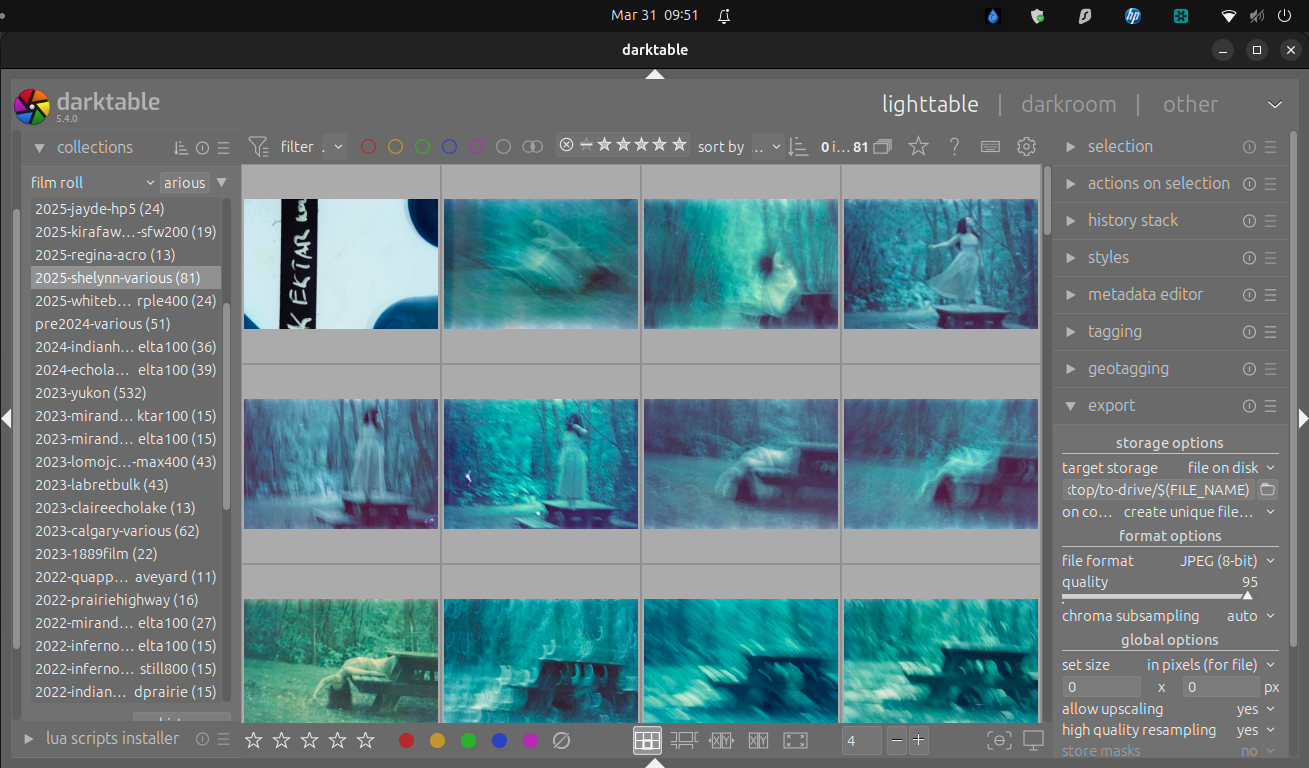
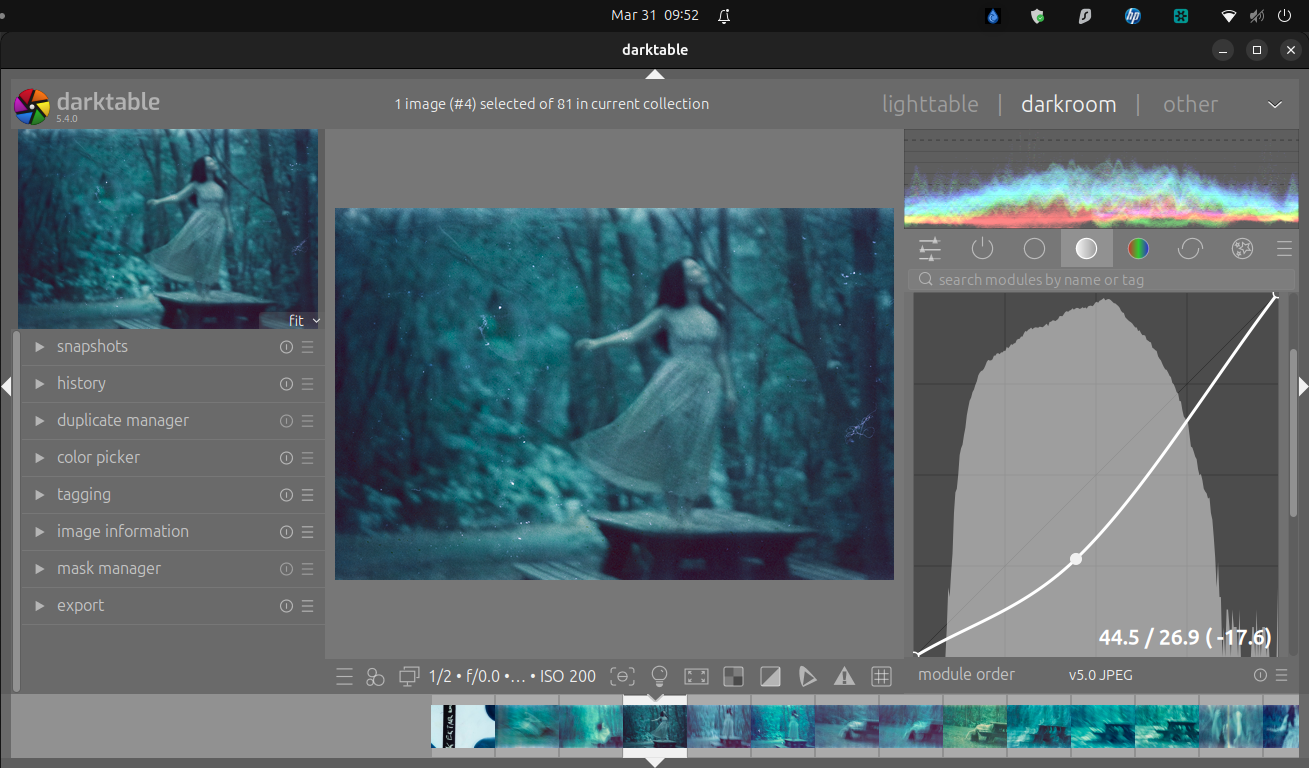
A few screens of my own workflow in Darktable
Editing Alchemy - KDENLIVE ($0 - free open source video editing software)
[Premiere Pro alternative]
https://kdenlive.org/download/
"Kdenlive is the acronym for KDE Non-Linear Video Editor. It works on Linux, Windows, macOS, and BSD."
One of my biggest pet peeves in editing workflow is having to learn new things. Don't move my buttons, don't change my terminology, don't make me take a different path to the results I'm used to. I was really worried about switching to Kdenlive from Premiere Pro. I had built a very specific expectation of myself and my timelines using Premiere Pro, and it felt daunting to open Kdenlive and see all the customization options and differences between the programs. A decade and a half ago I had started my video editing journey using a Vegas Pro 7.0 key I bought for like $30 in a humble-bundle sale and switching to Premiere years later was a horrible experience. Thankfully, age and bitterness towards the AI implementations in Adobe gave me the grace to push through and learn this system, and honestly, I haven't scratched the surface of its capabilities. While I've gotten into the layer blending, transformations, color grading, and subtitling options, I haven't begun to look into the 3D rendering, rotoscoping, or community created graphics/actions packs available within the Kdenlive forums. There is so much more to this than I will ever need AND what I do need is really easy to navigate. This program is the perfect example of "easy to use, a challenge to master" in that it has so much capability.
I'd suggest this to anyone looking to explore video editing, whether its simply cutting together footage, or building a larger cinematic project.
(As an aside, I've also explored DaVinci and really love it as well, but it doesn't have a native Linux version, and requires way more power than Kdenlive. I use this program on my workhorse PC for large projects and my Raspberry Pi 500 kit for smaller requirements on the go)
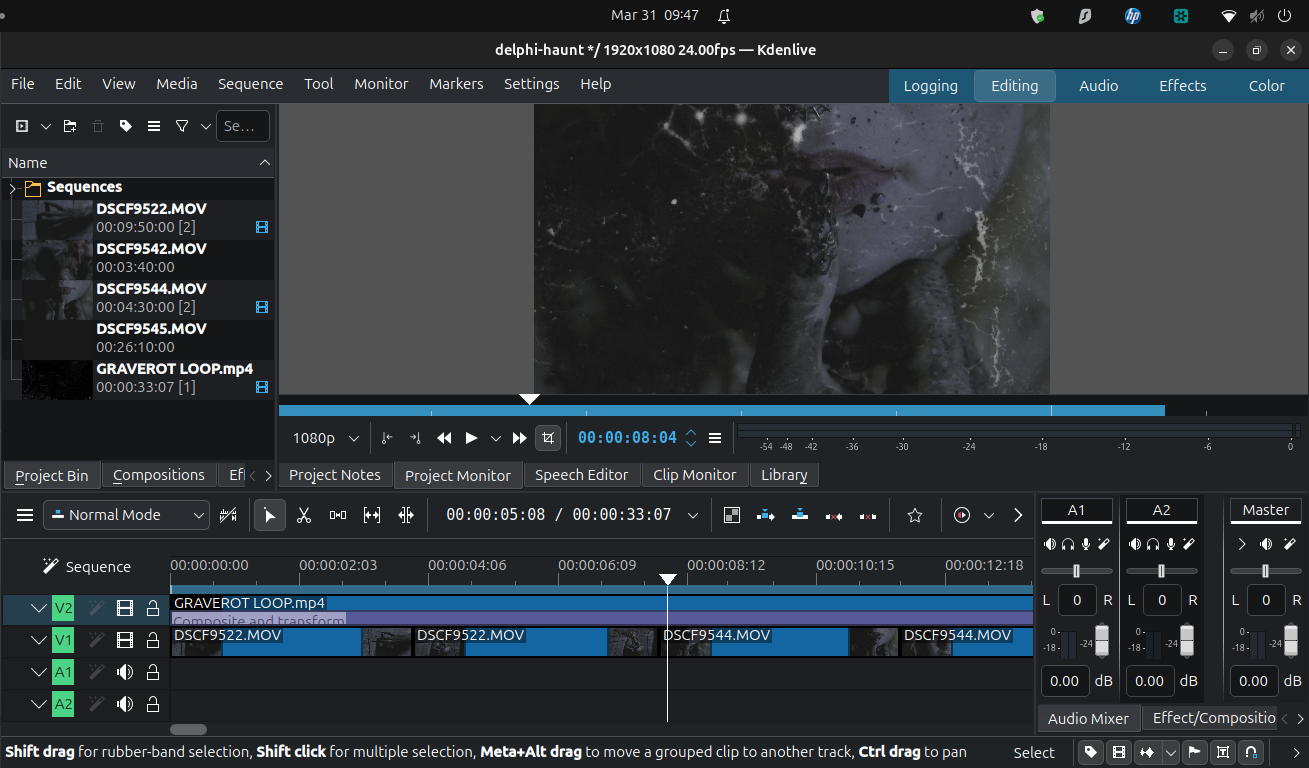
If you've read this far - thanks! and wow! What did you think? Is this useful? Will you explore these or suggest them to other people? Should I do more? There are several other open source programs I use for various needs that I'd love to ramble about.
You do not have to be complicit for convenience.
You do not have to accept the normalization of what the ghoulish imperialist corporate machine offers you.
You are an artist,
You do not have to taint that art.
Art is Resistance.
Autonomy is Resistance.
-dsmsblk